Can AI Generate Minecraft Skins? What Works and What Doesn't
 PixelSkin
Yes, AI can generate Minecraft skins from text or a photo. Here is how AI skin generators work, what they do well, where they still need help, and how to get better results.
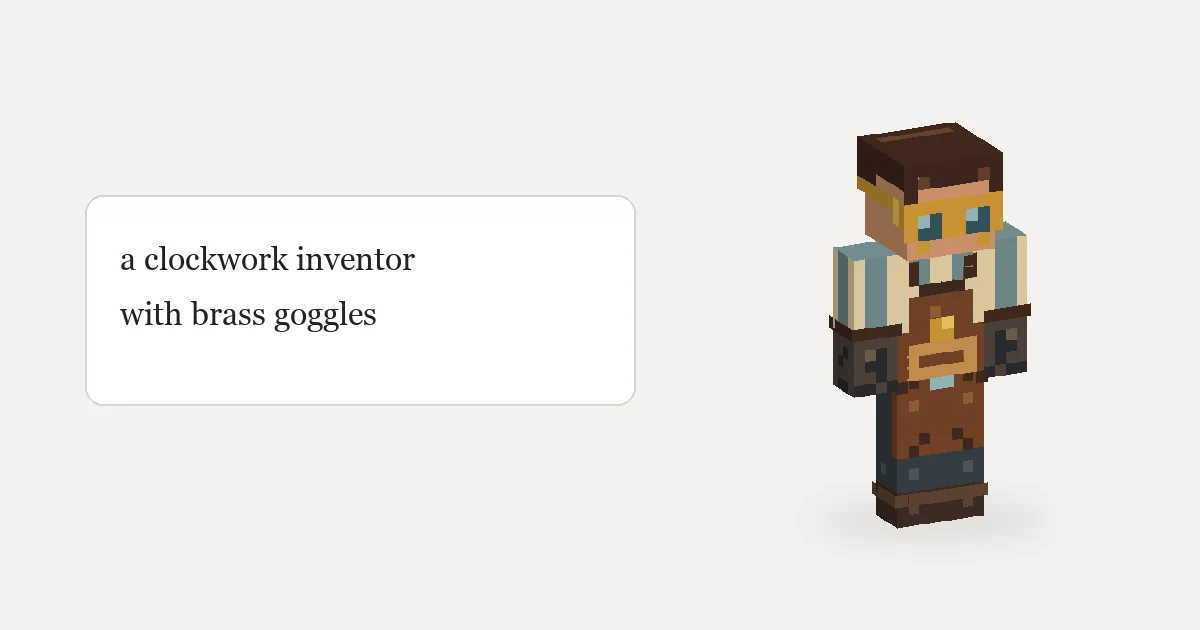
Yes. AI can generate a Minecraft skin from a sentence or a reference image, and the result is a normal 64×64 PNG you can upload to Java or Bedrock. But "AI skin generator" covers very different approaches, and they fail in different ways. This article explains how they work, what to expect, and how to get a skin you actually want to wear.
Two ways an AI can make a skin
1. Draw the flat texture directly. An image model is asked to produce the unfolded skin sheet. This is fast, but the model has to know the exact layout: which 8×8 square is the face, which strip is the left side of the right arm. Small mistakes put the face on the back of the head or split a shirt pattern across the wrong edges.
2. Paint on the 3D body. The AI works on named surfaces ("the front of the head", "the outer layer of the body") and a fixed mapping turns its strokes into the texture. Because it never touches raw texture coordinates, sides and seams land where they belong. A good generator of this kind also renders the character from the front, back and both sides, looks at the result, and fixes clear problems before handing it over.
The generator on our homepage uses the second approach: the AI paints face by face on the player model, reviews four rendered views, and then lets you keep editing in plain English.
What AI skin generators do well
- Outfits and color schemes. "A firefighter in a tan coat with reflective stripes" comes out recognizable on the first try.
- Consistent front, back and sides. Especially with the 3D approach, the jacket on the back matches the front.
- Filling in what you didn't describe. Shoes, belts and sleeve cuffs get sensible defaults.
- Turning a photo into a starting point. It picks out the main colors and garments of an outfit photo or drawing.
- Fast iteration. Asking "make the coat darker" is quicker than repainting 300 pixels.
Where they still need help
- Faces. The face is 8×8 pixels. Expressions, eye color and tiny features are where you will most often want a touch-up.
- Text and logos. A word on a shirt rarely survives at this resolution. Use a simple shape instead.
- Very specific references. A detailed pattern on a photo gets simplified into its main colors.
- Invented backs. From a single front photo, the back is a guess. Describe it if it matters.
- Shading taste. Some outputs are flat; others shade too much. Say "flat colors" or "soft shading" in the prompt.
How to get better results
- Lead with the role, then list the outfit. "A lighthouse keeper: yellow raincoat, rubber boots, grey beard, navy knitted hat."
- Name colors. "Dark teal", "rust orange" and "cream" are more useful than "cool colors".
- Say where things go. "A patch on the left shoulder", "stripes on the cuffs only".
- Mention the outer layer for hoods, helmets, hair or a coat that should stand out.
- Edit, don't regenerate. Once the base is right, ask for one change at a time. Each change touches only that part, and you can undo it.
- Finish small details by hand. A brush on the 3D model is the quickest way to fix two pixels of an eye.
Is an AI-generated skin "yours"?
The file is yours to wear. What you should avoid is asking for someone else's character, such as a movie hero, a game mascot, or another creator's skin. Those designs belong to their owners, and sharing them as your own work causes problems. Original characters are also simply more fun: no one else is wearing them.
Where AI fits in making a skin
Think of the generator as the first 80%: the outfit, colors and every side of the body done in a minute or two. The last 20% is your taste: the face, a detail only your character has, shading you like. Our guide on how to make a Minecraft skin covers both halves, and the skin template guide explains the file if you want to edit it elsewhere.
Try it now
Open the generator with this prompt filled in and see what it does: