Minecraft Skin Base: Start From a Template and Make It Yours
 PixelSkin
What a Minecraft skin base is, the kinds of bases, how to turn one into your own character, and a free mannequin base to start from in 2D or 3D.
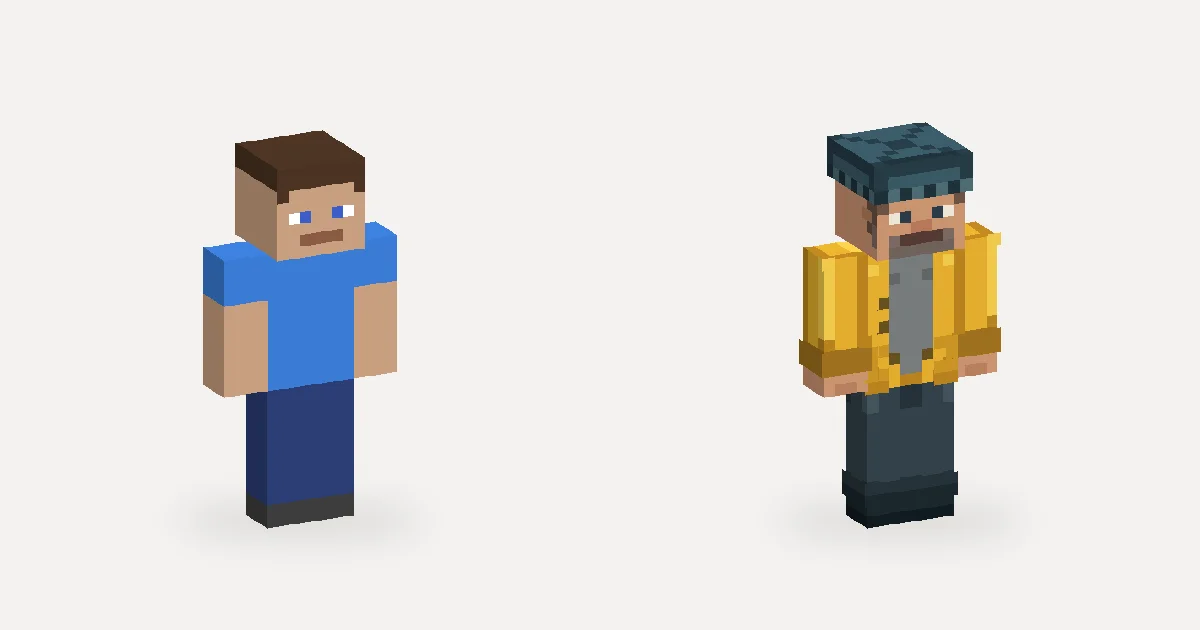
A skin base is a half-finished skin: a body with skin tone, shading and usually a face, but no outfit. Instead of starting from a blank 64×64 grid, you start from something that already looks like a person and spend your time on what makes the character yours.
What a skin base includes
Bases range from almost empty to nearly finished:
- Plain body. Flat skin tone on every part, sometimes with simple underwear-style blocks. Good if you want full control.
- Shaded body. Two or three tones that suggest the jaw, arms and legs. Saves the most time, because shading is the slowest part to paint well.
- Base with a face. Eyes, brows and a mouth already drawn. Popular because the 8×8 face is the hardest area to get right.
- Outfit-ready base. A neutral shirt and pants on the base layer, so you only add colors and the outer layer.
All of them follow the same 64×64 skin template, so any base works with any skin editor.
A free base to start from
Our mannequin base has short hair, a simple face, a plain shirt, pants and shoes, on the Classic (4-pixel arm) model:
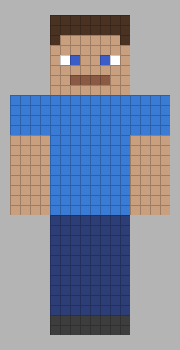
Download mannequin-base.png (64×64). It is also what the editor loads when you start a new skin, so you can paint on it in 3D right away.

How to turn a base into your own skin
- Choose the skin tone and hair first. Recolor the head and hands, then paint hair on the base layer and let it stick out a little on the outer (hat) layer.
- Change the face. Even moving the eyes one pixel or changing their color gives a different character.
- Paint the outfit on the base layer. Shirt, pants and shoes. Keep two or three shades per color.
- Add depth with the outer layer. A hood, a jacket collar, cuffs, a belt buckle. Toggle the layer to check it.
- Mirror the limbs. Paint one arm and one leg, then mirror them, and add any asymmetric details afterwards.
- Check all four sides and watch it walk. Seams on the sides of the arms and legs are where bases most often look unfinished.
Or let AI dress the base
You can also describe the outfit and let the AI paint it over the base: "a fisher in a yellow oilskin coat with a grey wool sweater". Then edit the result in words ("make the boots green") or by hand. Our article on what AI skin generators can and can't do explains where to expect touch-ups.
Using bases made by others
Many artists share bases for free with a request: credit them, or don't re-upload the base itself as your own. Read the creator's terms before you start, and credit the base when you publish your skin. A base made by you, or one shared for free use like the mannequin above, avoids the question entirely.
Try it now
Open the editor with this prompt filled in: a fisher in a yellow oilskin coat over a grey wool sweater, dark waders and a knit cap. The AI paints it over the base, and you finish it your way.